

This project showcases my end-to-end design process, from problem framing and user research to interaction and visual design.
It highlights my ability to simplify complex systems through clear user flows, scanning interactions, and a structured visual system.
The focus is on turning real-world friction into intuitive, practical product solutions.
Lead UX and UI design from concept to prototype
Collaborated with the team to refine solutions
Translated research insights into user flows
Designed high-fidelity UI and visual system
Built and tested interactive prototypes
Recycling rules vary by location and material, making waste sorting confusing for many people. In Vancouver, unclear guidelines and mixed packaging often lead to incorrect disposal, even among users who want to recycle properly.People understand recycling is important, but they frequently ask:
Which bin does this go to?
Is this compostable or recyclable?
Where can I drop off special waste like electronics or glass?
Traditional recycling guides are often text heavy, unclear, or require searching through long documents. We wanted to create a mobile experience that answers these questions quickly and visually.Separating waste is important in order to increase the amount of waste that will be recycled later, therefore reducing the amount of waste that will be deposited in landfills. Mixed wastes may present a number of potential threats to the environment and may negatively impact the environment.
According to the Vancity -Waste Report: “British Columbia’s waste-reduction rate must increase to meet its 2020 target.”

How might we help people quickly understand how to dispose of everyday items correctly without requiring them to research complex recycling rules?This challenge focuses on reducing confusion around waste sorting and making recycling guidance accessible in everyday situations.
Sift is an educational waste management mobile application that helps users make informed recycling decisions through locating convenient recycling centers, filtering search functions, and allowing for further education with an object scanning and depositing feature. The application will clearly explain which items will go into which bins. Due to the fact that this project is aimed at the Vancouver, BC area, we will follow the recycling standards applicable to that area.
I was the lead designer for this project. On the UX side, I conducted research on recycling and waste management, collected user data and information which supported our idea and used them to support the development work. For the UI design, I prepared and provided Figma design files and key wireframe components. I designed the overall interface while integrating different aspects of it. It was my role to decide what the content and format of the design information should be. For my team member, I presented my team members with a list of design elements. Additionally, I have created illustrations and icon sets for our project.
As a first step in the team's design process, we conduct user experience research to learn more about our users' behaviors, and how the possible solution can benefit them. We conducted surveys and interviews to gather information about what people were experiencing on these issues and what improvements could be made to improve the process. Together with the team, we brainstormed and created our user flow, persona, and wireframes for all the screens based on the information we have.
Recycling rules are confusing
Users want quick answers
Preparation steps are often overlooked


Lucas is an international student new to Canada who finds it difficult to sort his waste due to a lack of knowledge about recycling. Lucas is unsure of where to put certain items. Consequently, Lucas has to spend more time sorting his waste than it is necessary to do so.


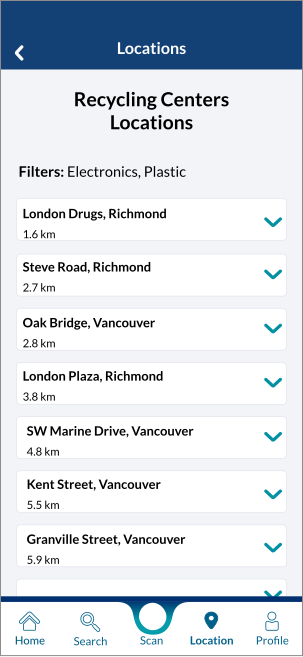
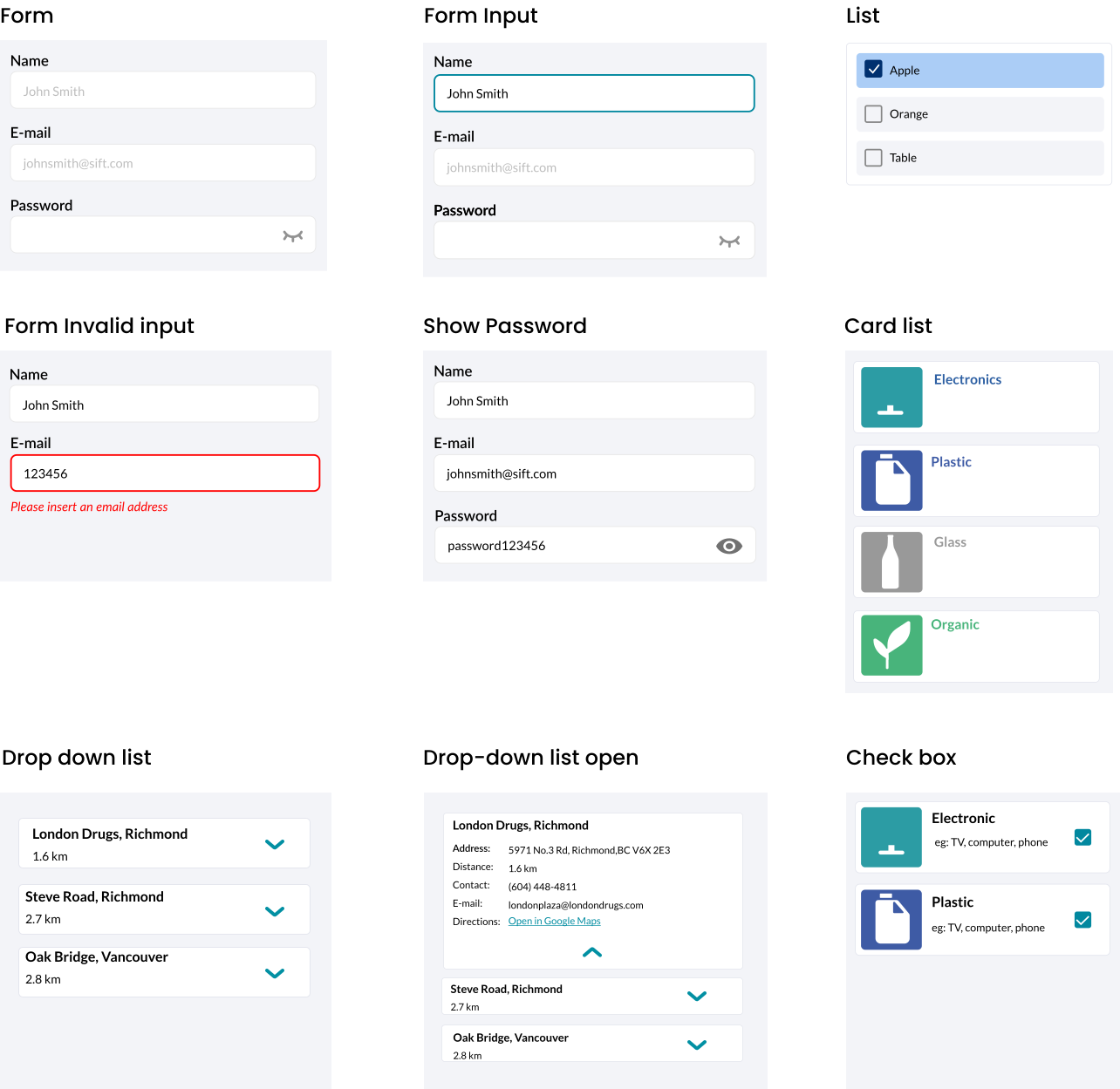
As an experienced designer, I was primarily responsible for the UI aspects. My responsibility included choosing typography and a color scheme, designing icon sets, and creating UI components. I organized the components into a design library. I also created mockups for the app and promo website, illustrations, and motion graphics. Additionally, I worked on marketing materials, proposals, and presentation slides.
Sift's logo is a combination of two geometric shapes, each of which is similar in appearance, but with a different tone of color. The logo conveys the idea that many items look similar when recycled, which makes it difficult for recyclers to distinguish them, ultimately resulting in recycling mistakes. Sift is an application that helps users to identify and sort recyclable materials. In order to maintain its performance across various digital platforms, the Sift logo was designed to be responsive.

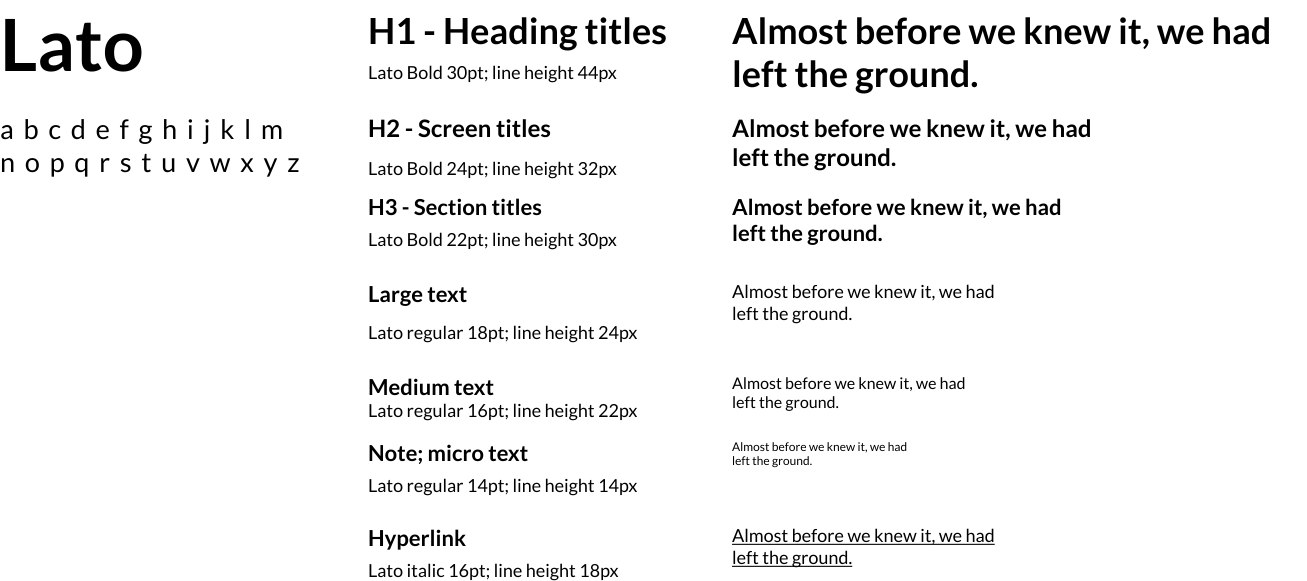
Lato typeface was chosen for the application because it is a sans-serif typeface that gives the application a modern appearance. This typeface is very readable across various screen sizes, resolutions, and media types, which increases legibility.


With regards to our design style, we use plenty of whites and grays to emphasize the clean and light feel of our user interface. Sift is mainly used in daylight, which requires good illumination, so we adhere to a light UI style.

The bottom navigation provides an effortless way for the user to see where they are in the application using outlined and solid icons. We use curves and a light gradient to direct users' attention and convince them to press the scan button, which is the app's key feature and the centerpiece of navigation.

In addition to providing guidelines for users when recycling materials, I created a set of custom icons and illustrations for Sift to help users better understand our project vision.


In terms of grids, the team utilized an 8px grid since we focused on pixel-perfect designs for mobile applications.

From the project, I learned that the purpose of the product is to provide a service to customers, so we need to listen to what the end-user needs are and prioritize their benefit. Even if a designer has a good idea in conception, they must prove it and explain how it will benefit the client. Project features and functions need to be driven by the customer's purpose and how they can get value from the project, not just because we want to. No matter how much you love the project, it wasn't meant for you. It was created for the client.
“We must design for the people the way they are, not the way we wish them to be”. — Don Norman


